Automated Workflows for Property Managers
A work order takes a day. A turnover takes six weeks and touches a dozen people. Automated workflows run those long jobs step by step, so nothing slips.


Automation saves your valuable time. Here are some examples of PMP Automated Workflows For Property Managers, the long jobs that decide whether a portfolio runs cleanly or quietly leaks money.
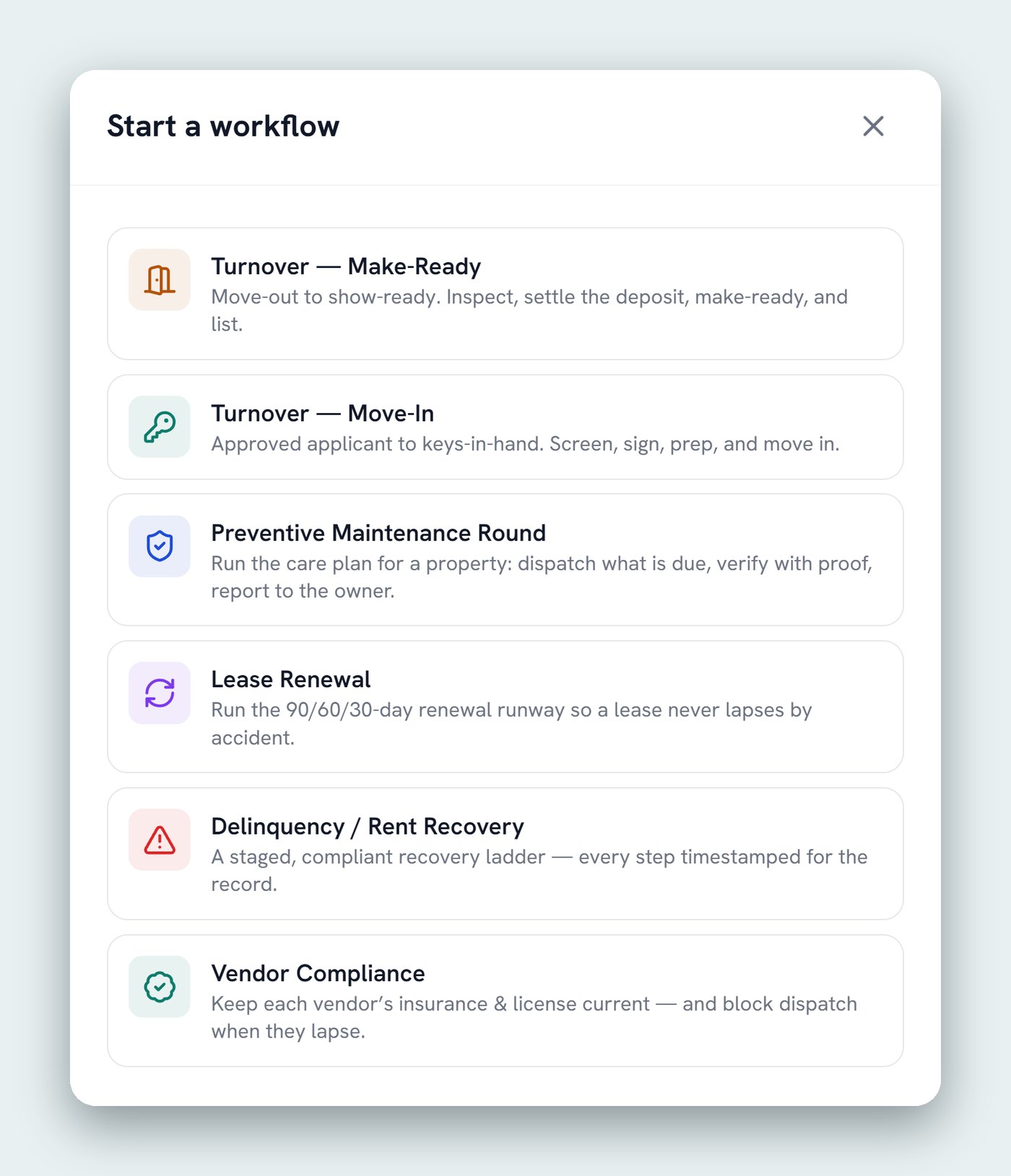
Six automated workflows for property managers
01 Turnover: Make-Ready
Move-out to show-ready. Inspect, settle the deposit, make-ready, and list.
02 Turnover: Move-In
Approved applicant to keys-in-hand. Screen, sign, prep, and move in.
03 Preventive Maintenance Round
Run the care plan for a property: dispatch what is due, verify with proof, report to the owner.
04 Lease Renewal
Run the 90/60/30-day renewal runway so a lease never lapses by accident.
05 Delinquency / Rent Recovery
A staged, compliant recovery ladder, with every step timestamped for the record.
06 Vendor Compliance
Keep each vendor’s insurance and license current, and block dispatch when they lapse.
One workflow, start to finish: Lease Renewal
Every workflow runs the same way: dated triggers, a guided step at each one, and a record at the end. Here’s the renewal runway, from 90 days out to signed.
| When | What happens | Who decides |
|---|---|---|
| Day 90 | Market review: current rent against the local market | The workflow prepares it |
| Day 60 | Owner decision: renew, at what rent, or not at all | The owner and you |
| Day 45 | Renewal offer goes to the tenant | You approve the offer |
| Day 30 | Follow-up if the tenant hasn’t answered | The workflow reminds and chases |
| Day 0 | Signed, or notice served | Recorded with the date and who decided |
The system tracks the dates. You make the calls. Renewal season is usually lost to calendars, not strategy. The workflow watches every lease and brings up each decision on the day it needs making. What rent to ask, whether to renew at all and what to concede stay with you.
Automation runs the sequence. You keep the authority.
Every workflow has gates. A step that commits money, sends a binding notice or changes an owner’s position stops and waits for a property manager.
- No workflow spends your money on its own. Scope and cost approvals route to you, and work beyond the thresholds you set waits for your sign-off.
- The busywork runs without you: the reminders, the scheduling, the documentation and the chasing.
- Nothing lapses because everyone assumed someone else had it. Each step has an owner and a due date.
Every step timestamped, every decision attributed
A rent-recovery ladder or a deposit settlement can be questioned months later. Every workflow closes with a record of what happened and who decided it: who approved what and when, which vendor was dispatched, and what was completed, with photos attached.
That’s the difference between saying you followed the process and being able to show it. See all six on the Workflows page, or how they connect to AI maintenance triage and PMP Maintenance.
See it run
Want to see a workflow run against your own process?
Book a call and we’ll walk one of your turnovers or renewals through it, step by step, with your dates and your thresholds.
Keep reading
Related resources
What Is AI Maintenance Triage?
How PMP answers maintenance calls with AI voice agents, triages them by category and urgency, and sets up the work order.
Kevin Wall3 min read
CRM Built for Property Management Companies
PMP Grow: why we built a CRM around owner acquisition and onboarding, how it compares, and its top 7 features.
Kevin Wall3 min read
AI for Property Management: How It Saves You Time and Money
Where AI actually saves hours in a property management company, what to automate first, where people stay in charge, and how to measure the savings.
Kevin Wall7 min read