Automation To Save Time (For Property Managers)
Tap the mic and say what just happened. Voice Copilot turns it into a filed note, a task or a new lead before you pull out of the driveway.

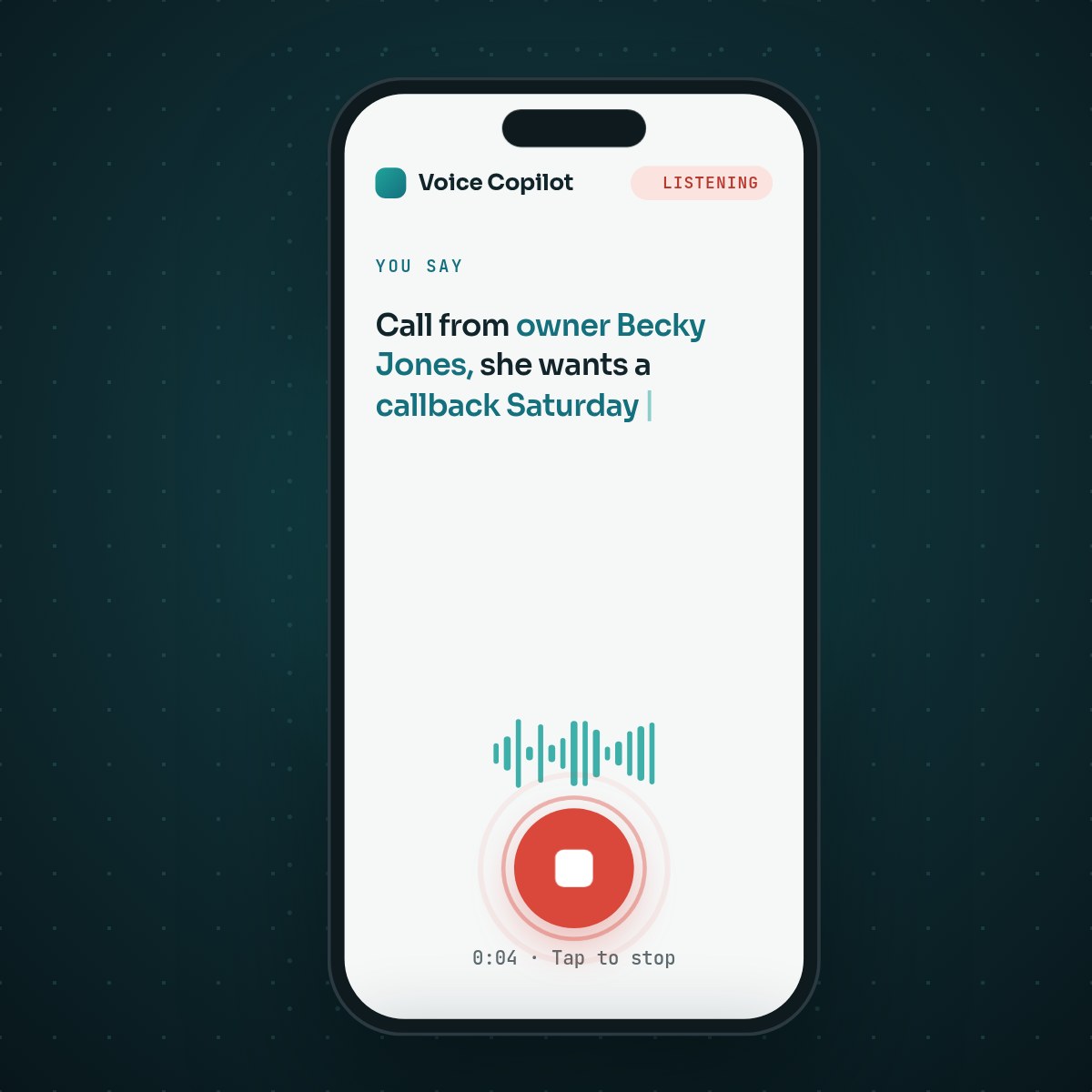
Another example of automation saving time is the Voice Copilot from PMP. (The first was our automated workflows.) It’s built for the part of the day you spend in the truck between appointments.
Talk to your CRM from the parking lot
Voice Copilot turns a spoken note into a filed record. Tap the mic and say what just happened, the way you’d tell a colleague. It becomes a note on the right contact, a task on the calendar, a new lead in the pipeline or a job in the maintenance hand-off queue.

Six showings, three vendor calls and an owner conversation leave you with a pocketful of things to remember. Usually they get written up at nine that night, or they don’t get written up at all. Say them out loud instead, in the thirty seconds before you drive off.
How Voice Copilot works
- You talk. Plain speech. No commands, no field names, no format to remember.
- It matches the record. The name and number are matched to an existing contact, or a new one is created. It dedupes by phone number, so you don’t end up with three Tom Ellises.
- You confirm. The parsed note appears as a card before anything is written. One tap saves it. A misheard word never becomes bad data.
- It files itself. Owner and lead notes go to the CRM. Tenant and vendor notes go to the maintenance hand-off queue. A note to self becomes a reminder.
What you say, and what happens
Real lines, spoken at normal speed, between appointments:
| You say | Voice Copilot does |
|---|---|
| “Call from owner Becky Jones, she wants a callback Saturday about roof damage.” | Files a note on Becky’s record, plus a Saturday callback task |
| “New lead: Tom Ellis, 555-1234, saw our ad, wants a rental analysis.” | Creates a new lead, deduped by phone number |
| “Call from plumber Big Mike, leak at 12 Oak Street, needs access tomorrow.” | Routes it to the hand-off queue with the property and the access window |
| “Remind me to follow up with the Hendersons Monday morning.” | Sets a reminder for Monday, on their record |
| “Jim from Concord signed. Make him a client and send the welcome package.” | Converts the lead to a client and starts the welcome drip |
| “Tag Sarah Blake as a VIP referral partner.” | Applies the custom tag |
Where the time comes back
- Windshield time becomes work time. Six property visits a day is six write-ups. Done in the truck, they’re done. Done at nine at night, half of them are guesses.
- Speed to lead. A prospect calls while you’re on a ladder. Thirty seconds later they’re in the pipeline with a follow-up task, not on the back of a business card.
- No more sticky notes. Nothing lives in the truck console, a notebook or your head. If it was said, it’s on the record.
- Clean hand-offs. A vendor call becomes a queued job with the property, the issue and the access window attached, ready for whoever picks it up next.
What Voice Copilot is not
It doesn’t record your calls. You speak after the call is over. Voice Copilot captures what you choose to say about it: the same thing you would have typed, minus the typing. There’s no listening in on the conversation itself.
It doesn’t act on its own. It drafts, you confirm, it files. See the full picture on the Voice Copilot page.
Try it
Try Voice Copilot with your own portfolio.
Book a call and we’ll run three of your real post-visit notes through it: your contacts, your properties, your queue.
Keep reading
Related resources
Automated Workflows for Property Managers
Six PMP workflows for the long jobs: make-ready, move-in, preventive maintenance, lease renewal, rent recovery and vendor compliance.
Kevin Wall2 min read
Speed to Lead: How Fast Should Property Managers Answer Owners?
An owner who fills out your form is often talking to other managers too. What the research says, the standard to set, and how to hit it.
Kevin Wall6 min read
CRM Built for Property Management Companies
An Article Brief on PMP Grow: why we built a CRM around owner acquisition and onboarding, how it compares, and its top 7 features.
Kevin Wall3 min read